After Effects
Shape Generator - Adobe After Effects
One click to create multiple shapes with controllable 3D positions.
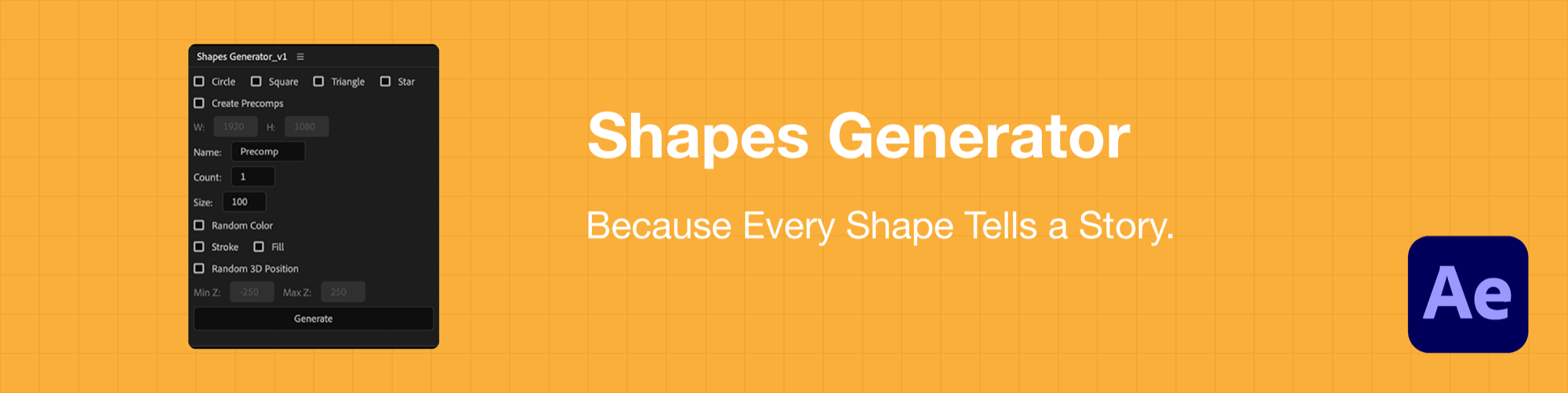
Create shapes in seconds. This powerful script lets you generate circles, squares, triangles, and stars with just a few clicks. Customize them with random colors, strokes, fills, and 3D positioning to add depth and dimension to your animations — perfect for intros, transitions, and complex motion work.
Key Features
- Multiple shape types — circle, square, triangle, and star.
- Random colors, stroke, and fill controls.
- 3D positioning for dynamic depth.
- Custom precomps for easy organization.
How It Works
- 1Install the script: download and paste it into your After Effects ScriptUI Panels folder (Windows: Program Files/Adobe/Adobe After Effects <version>/Support Files/Scripts/ScriptUI Panels/ · macOS: Applications/Adobe After Effects <version>/Scripts/ScriptUI Panels/).
- 2Open After Effects and go to Window → Shapes Generator.
- 3Choose your shapes (circle, square, triangle, star) and options.
- 4Set count, size, colors, stroke/fill, and 3D position.
- 5Click Generate to create the shapes instantly.